
Claim Submission
To submit a claim, customers need to choose which transaction they want to claim, choose the claim type, and then fill in the claim form. Claims that have been successfully submitted will have Data Submitted status.
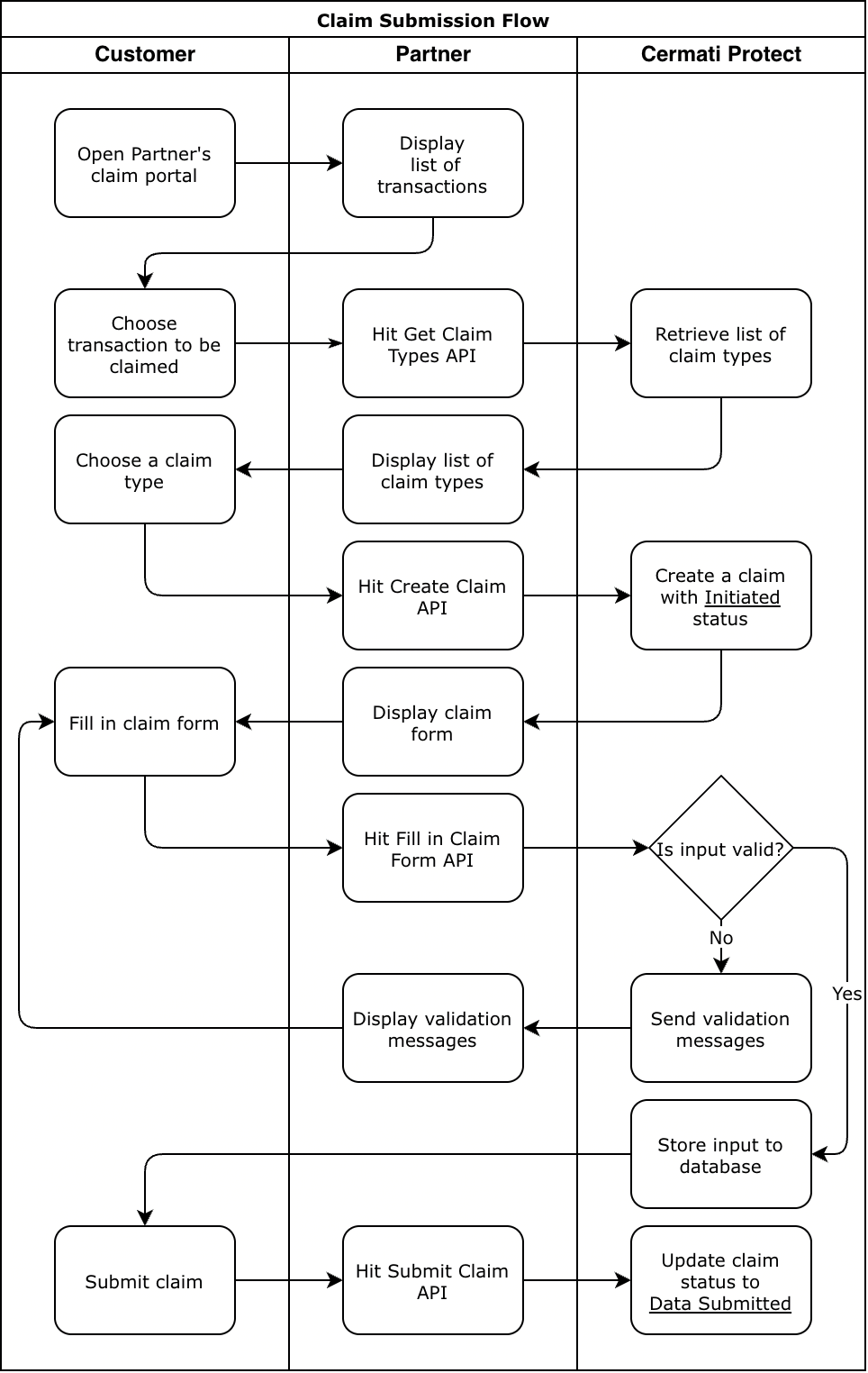
Claim submission flow
Claim Cancellation
Customers can cancel claims that they have created as long as the status is still Initiated. Cancelled claims will not be processed any further.
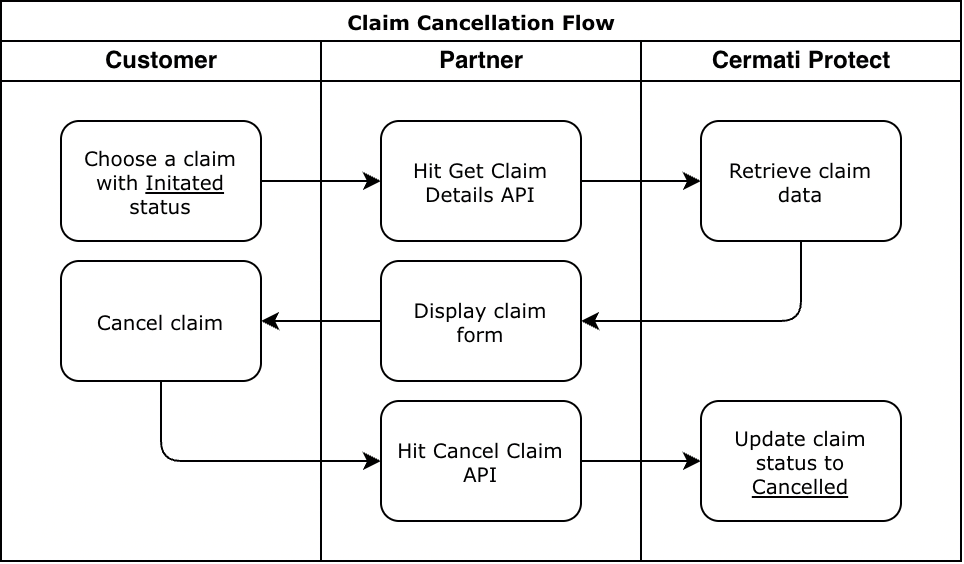
Claim cancellation flow
Additional Requirements Submission
After submitted, the claim will be reviewed by Cermati Protect Claim Team and Insurer. Under the review process, the customer may be asked to revise the submitted data or provide an additional data if necessary.
In that case, the claim will be updated to one of these statuses:
-
Data Incomplete:
The claim is being reviewed by Cermati Protect Claim Team and they determine that some of the data need to be revised. For example, the image that was originally submitted by the customer is blurry. -
Additional Data:
The claim is being reviewed by Insurer and they require the customer to add an additional data to support his/her claim. -
Claim Approved but Documents for Claim Payment Needed:
The claim has been approved by the Insurer and they require the customer to verify or update their bank account details, or provide additional documents needed before the payment can be transferred.
In all cases above, Cermati Protect will send notification to partner about the status together with the reason. The customer needs to revise the claim form based on that reason and resubmit the claim.
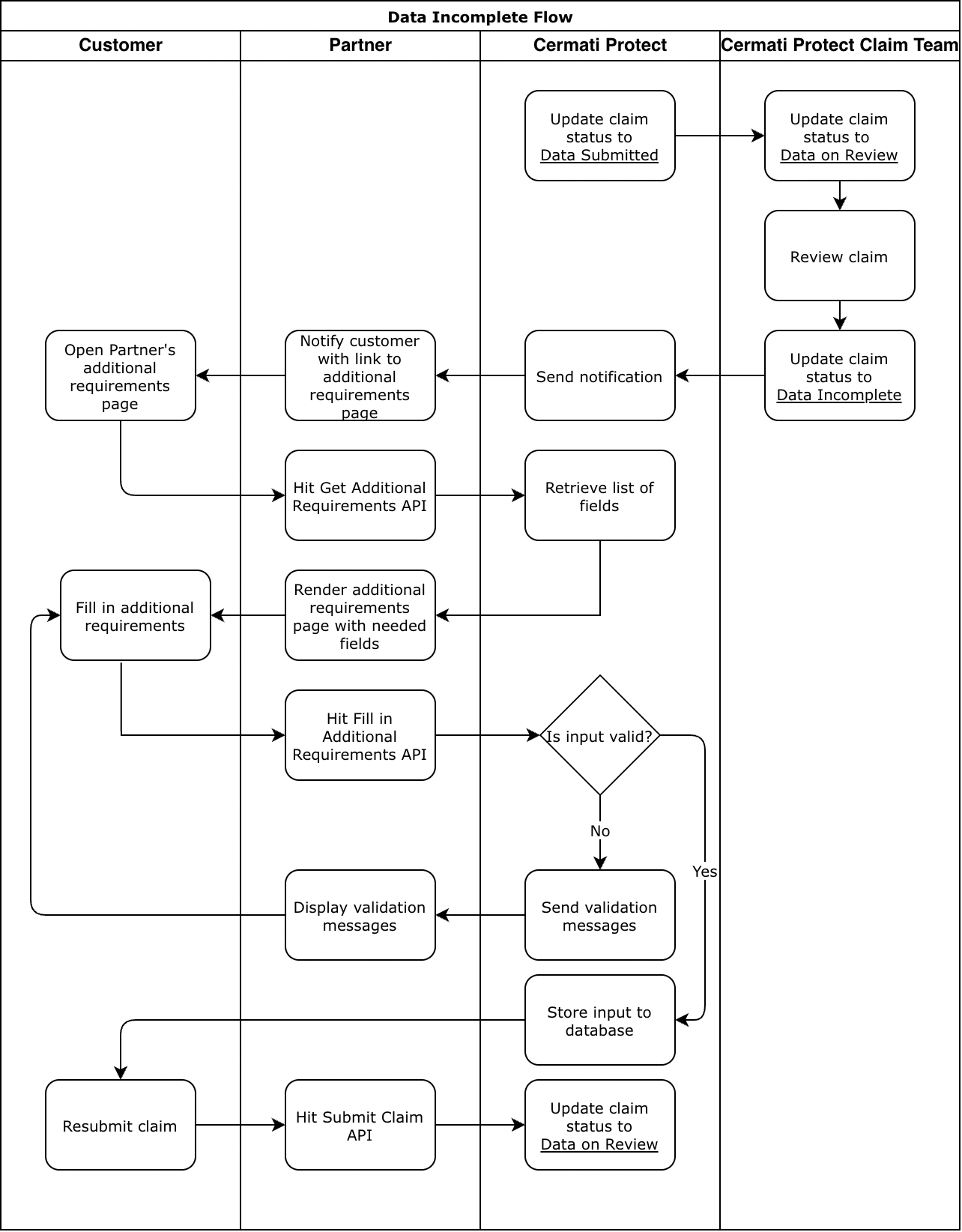
Data incomplete flow
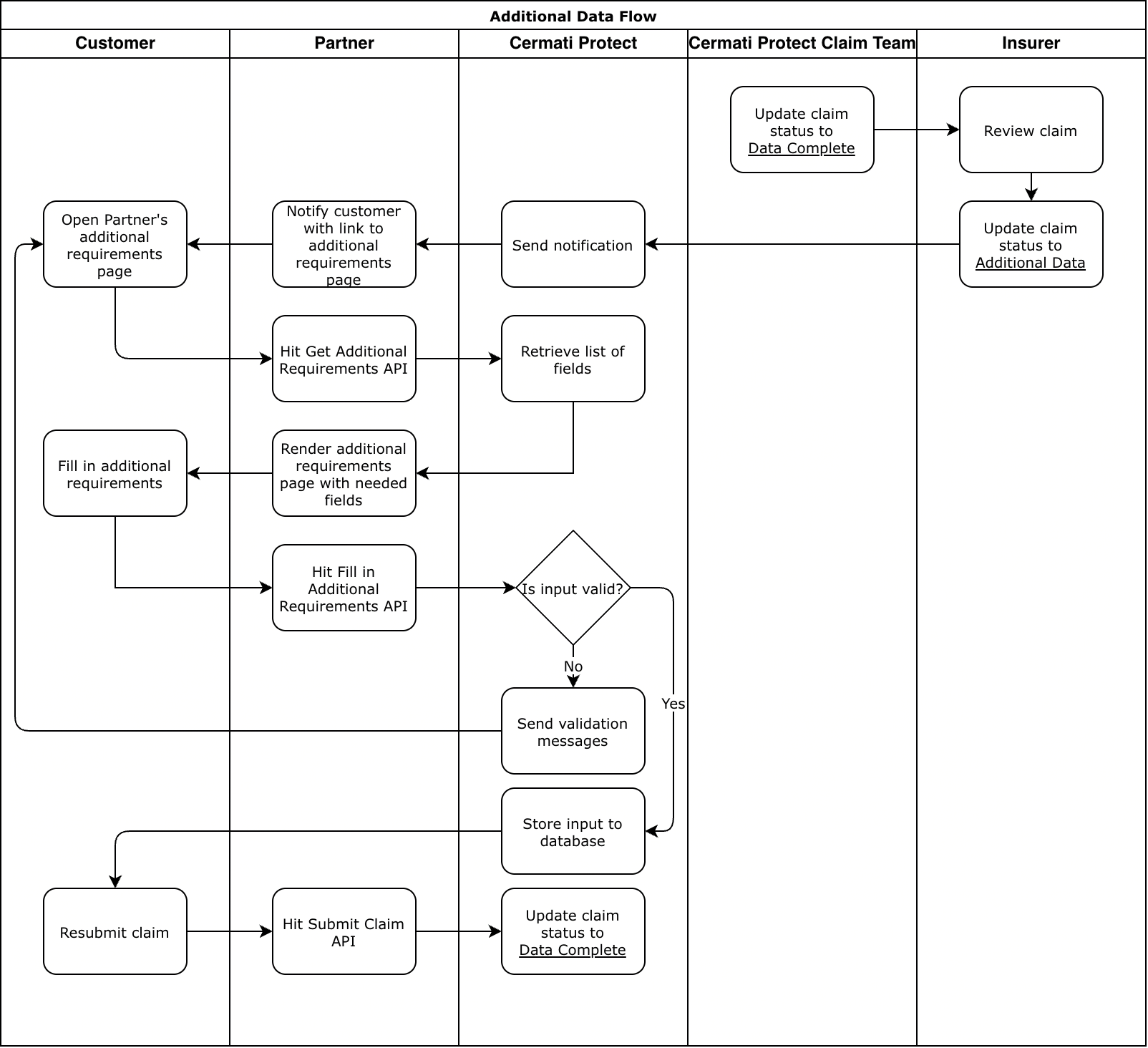
Additional data flow
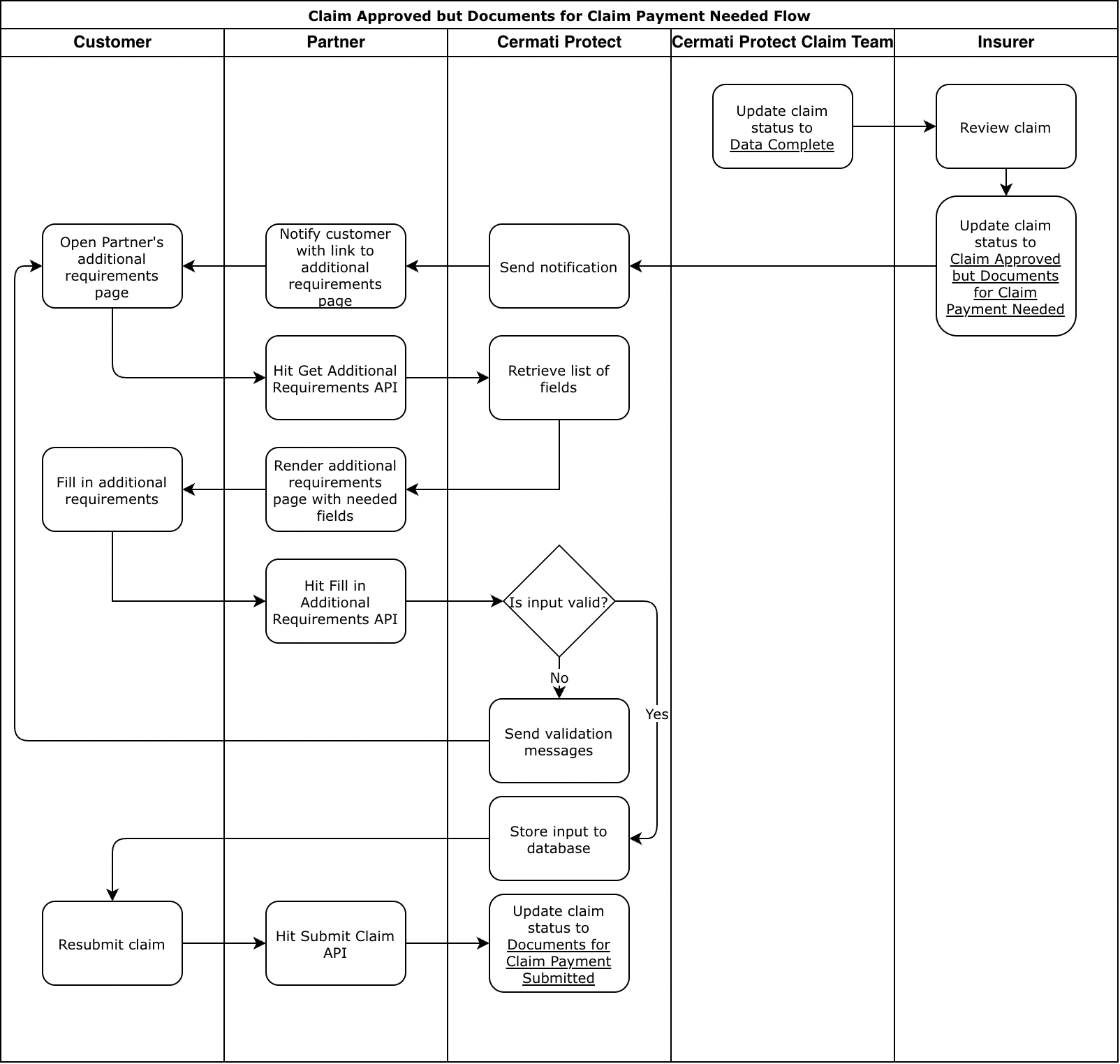
Claim approved but documents for claim payment needed flow
Claim Reminder and Expiration
Every few days since the claim is created, Cermati Protect will send reminder for the customer to complete the claim form. The reminder will be sent to partner and it needs to be forwarded to the customer. If the customer does not submit the claim within the specified time frame, the claim will be marked as expired by Cermati Protect.
These reminders are intended for claims with Initated and Data Incomplete status. Reminder interval and expiration period vary between products.
Reminder specification will follow https://docs.cermatiprotect.com/reference/claim-event-notification.
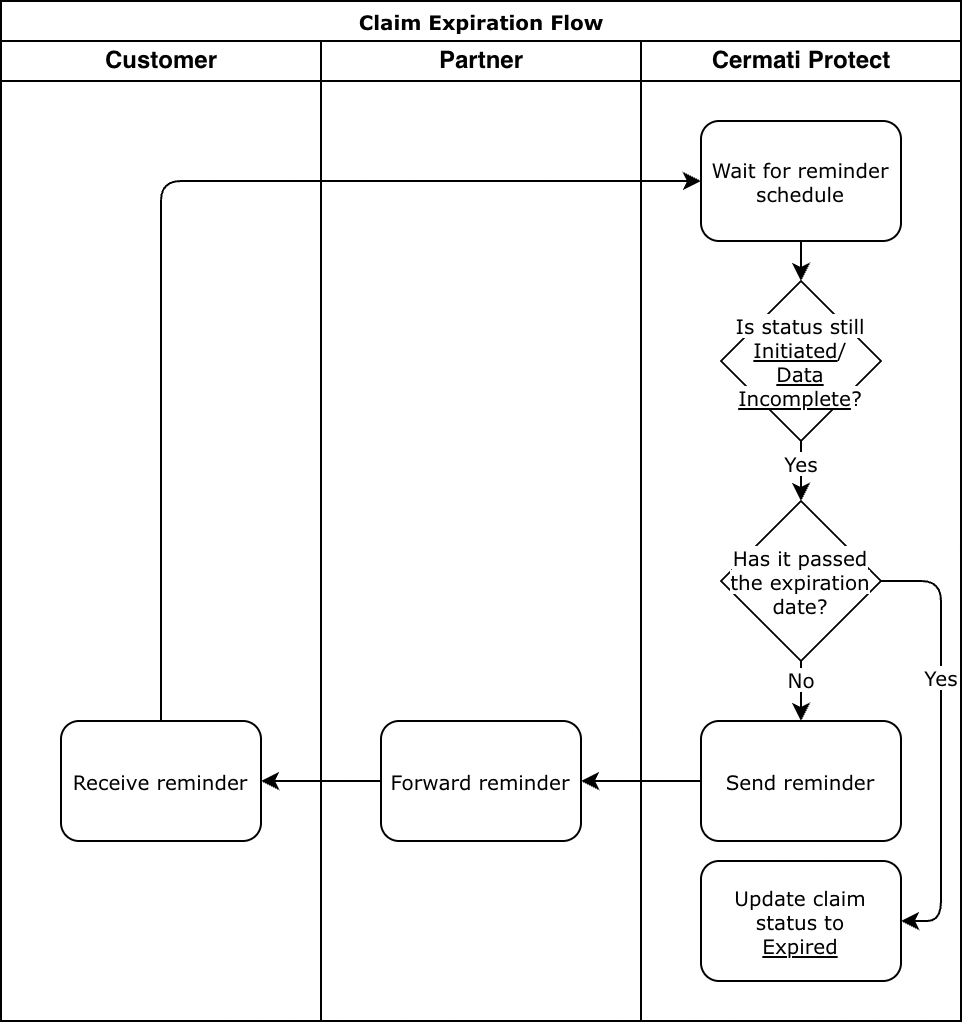
Claim expiration flow
Claim Status Notification
Cermati Protect will send notification to partner every time there is any change in claim status.
The specification for the notification can be seen at https://docs.cermatiprotect.com/reference/claim-event-notification.